- by foxnews
- 20 May 2026
Amazon recall text scam comes with red flags
Scammers are sending fake Amazon product recall texts with phishing links designed to steal your login and payment details. Here's how to spot them.
- by foxnews
- 19 May 2026
- in technology
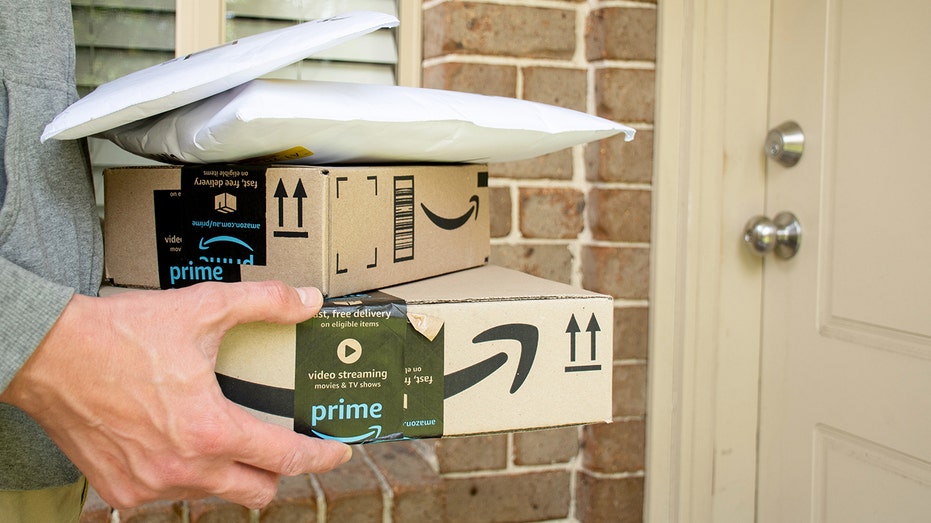
In the text we received, the message claims that an item from a February 2026 order has been recalled. Next, it tells you to stop using it and click a link for a refund. It also signs off as "Amazon Account Support Team."
Sign up for my FREE CyberGuy Report
Let's walk through what this message is doing and why it raises concern.
Companies like Amazon usually address you by your name. A generic greeting signals mass messaging.
Scammers often include an order number to build trust. It looks official. However, it doesn't prove the sender has access to your real account.
The language sounds formal but vague. Notice what is missing. The message never names the product, which is something a real recall would always include.
This line adds urgency. Safety concerns push you to act quickly without verifying details.
This is the core of the scam. It tries to move you off the platform and onto a link the sender controls.
This is one of the biggest red flags. The domain has nothing to do with Amazon. It looks random and disposable. Legitimate messages from Amazon use official domains like amazon.com.
This sounds reassuring, but adds no real information. It is filler to make the message feel polished.
Another generic sign-off. Real emails or texts from Amazon often include more structured branding and consistent formatting.
A few simple checks can quickly tell you something is off:
When you see several of these at once, treat the message as a scam.
That link likely leads to a fake page designed to look like a real Amazon site. From there, a few things can happen. You may be asked to log in. That gives attackers your username and password. You may be asked for payment details under the idea of "processing a refund." You could also trigger a download that installs malware. The goal is always the same. Get your data or access to your accounts.
How to stay safe from Amazon text scams
A few simple checks can help you spot the scam early and protect your account before any damage is done.
Open the Amazon app or type amazon.com into your browser. Do not use the link in the text. Amazon says that when a product is recalled, affected customers are notified through official channels such as email, push notifications and a dedicated "Your Recalls and Product Safety Alerts" page within their account. Check your Orders page and the "Your Recalls and Product Safety Alerts" section. If anything still seems unclear, contact Amazon Customer Service directly. Never use the contact details provided in the message.
If you accidentally tap a link like this, strong antivirus software can help stop harmful sites from loading or block downloads before they install. Many tools now include real-time protection against phishing links, which adds a layer of defense when a scam slips through. Get my picks for the best 2026 antivirus protection winners for your Windows, Mac, Android and iOS devices at CyberGuy.com.
Scroll to the bottom of the message and tap Report Spam or Report Junk. This helps your device and carrier block similar messages in the future. It also flags the number for others.
Scammers often rely on personal details to make messages feel convincing. Data removal services can help reduce how much of your information is available online, making it harder for criminals to target you with personalized scams. Check out my top picks for data removal services and get a free scan to find out if your personal information is already out on the web by visiting CyberGuy.com/FreeScan.
Be cautious of urgent language. Scammers often try to pressure you into acting immediately before you have time to verify the message. Take a moment to verify. A real recall will still be there after you check it through official channels.
Make sure your phone's software is up to date. Security updates can help block malicious links and downloads before they cause harm.
A text like this can look convincing. That's exactly what it is designed to do. It uses a familiar name like Amazon and urgency to push you into acting fast. Slow down, take a closer look and the red flags start to show up. If something feels off, trust that instinct and verify it before you click anything.
Would you have clicked that link if it showed up on your phone during a busy day? Let us know by writing to us at CyberGuy.com.
Sign up for my FREE CyberGuy Report
Copyright 2026 CyberGuy.com. All rights reserved.
you may also like

- by foxnews
- 20 May 2026
Rideable robot looks ready to stomp all over us
- by foxnews
- 19 May 2026
Missed voicemails with no calls? It could be a scam



travel
- by foxnews
- descember 09, 2016
Tourist takes forbidden plunge at iconic landmark as visitors watch, stunned
A tourist from New Zealand allegedly jumped into Rome's iconic Trevi Fountain, then began swimming - drawing widespread backlash and a reported fine of almost $600.
read more